Supports a huge range of output/input formats (additional formats e.g. X-Plane can be added via plugins):
Format
File ext
Export
Import
3D Studio
.3ds
3D Studio ASE
.ase
AC3D
.ac
Collada
.dae
Direct X
.x
Dive
.vr
DVS
.dvs
DXF
.dxf
Google Earth
.kml
Inventor
.wrl
LDraw (Lego)
.ldr
LDraw (Lego)
.dat
LDraw (Lego)
.mpd
Lightwave
.lwo
Massive
.massive
Milkshape Ascii
.txt
Obj (Wavefront)
.obj
OFF
.off
OpenGL C code
.cxx
Pointfield
.pf
Points
.pts
PovRay
.pov
Quake BSP
.bsp
Quake MD2
.md2
Quake Map
.map
Renderman
.rib
Renderware
.rwx
Second Life (sculpted prim)
.tga
SMF
.smf
SOF Airfoil
.sof
STL (ASCII)
.stl
STL (Binary)
.stl
Terragen
.ter
Triangle
.tri
Unreal Tournament
.t3d
Vector
.vec, .r2v
VRML 1.0
.wrl
VRML 2.0
.wrl
X3D
.x3d
X-Plane
.obj
Image file support
Images formats used for texturing and view-background images
GIF
JPG
PNG
BMP
DDS
PPM
TGA (Targa)
TIF
Other
Fast real-time OpenGL graphics views (2D
and 3D) with whiteboard controls for easy navigation
Multipoint polygon and line editing down
to
vertex
level
No polygon limits
Edit at different granularity - groups,
objects,
surfaces, vertices
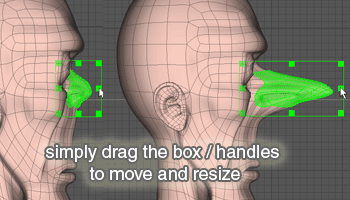
Simple and easy manipulation of selected components
Powerful mouse selection with add/remove, select through and select closest components
Surface and vertex loop selection
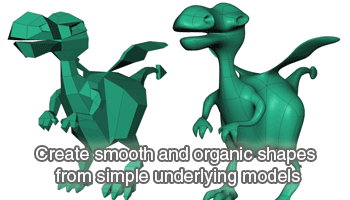
Fast subdivision-surfaces with instant switch to view/hide subdivisions
Extrusion and surface revolution of lines and surfaces
Built-in fast OpenGL 3D renderer with
adjustable
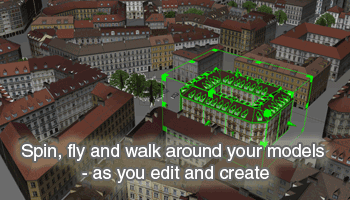
field-of-view - instantly see results of your actions in 3D. Spin the
model or switch into 'walk mode' for Quake-style control.
Realtime mirror for symmetrical work
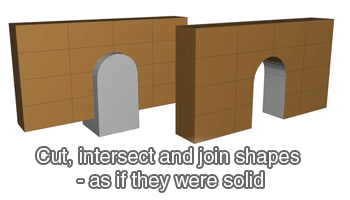
Six boolean operations: Subtract, Intersect, Union, Cut-Away, Knife, Kife and Cut-away
Manipulate one or more vertices
snap together
snap to grid
smooth shape
align to axis
create new surfaces from
create a 2D mesh using
Manipulate one or more surfaces/polygons
insert/remove vertices
slice across surface/s
make holes
spike
spline
bevel
triangulate
flip
divide
combine
flatten
calculate surface-area
change vertex order
cut away into a new object
Manipulate one or more objects
extrude along a path (line)
Revolve
mirror
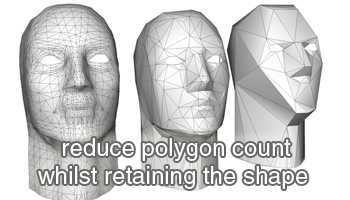
reduce polygons
merge surfaces/vertices into a single object
fragment/explode - split surfaces into individual objects
align to each other
replicate
Fill holes
Unify normals
Object crease angle support - smooth shapes with sharp edges without the hard work
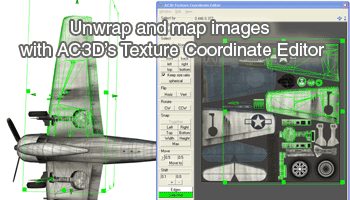
Texture mapping support with switchable real-time
rendering.
Switch a view into 'Inspect' mode to instantly see the 'clean' image
Anti-alias 3D views for smoother images
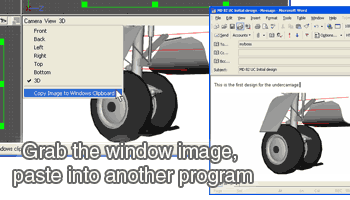
Snapshot images into the system clipboard for pasting into other software (Windows, Mac)
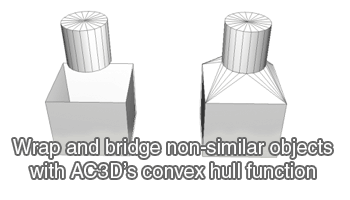
Create new surfaces/objects around any
selection
(Convex hull)
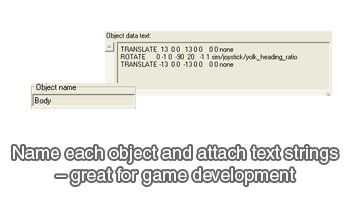
Objects can be named and searched for within
a scene
Attach URLs to objects for use in VRML files
Attach string data to objects can be used as special directives for POV or renderman, or custom software
Navigate/Zoom around the 2D views with
cursor
keys
and other single key presses
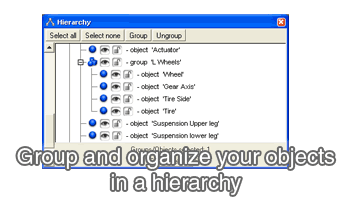
Hierarchical view window with drag/drop and locking/ hiding controls
Hide/unhide objects for easier/faster
editing
of
complicated scenes
Headlight and up to 7 other positionable
lights
24-bit colour palette with adjustable
diffuse;
ambient; emissive; specular; shininess and transparency
Adjustable 2D and 3D grid guide lines
with
grid-snap
function
Distances, positions and sizes of selected objects displayed on screen
Scale a selection to a specific size
Configurable to use external renderers
such as
Povray
( Tools->Render )
Flip a selection about X, Y or Z
axis
Remove duplicate vertices and surfaces
('optimize')
3D mouse (3Dconnexion) support e.g. SpaceNavigator (Windows)
Multi-platform program - Windows, Linux and Mac OS X
Fast and memory efficient, compact
program
binary.
Software development kit and plugin
interface.
Requirements
Windows, Linux or Mac 64 bit OS
preferable on PC, but not necessary - 3D
accelerated
video
card with OpenGL drivers